Open the scanner beside the estimate
On the farm, read the trough time or the next pickup. In Deep Sea, read the closing timer and leave room for the return trip. On a phone, choose a screenshot or photo in the calculator dialog.
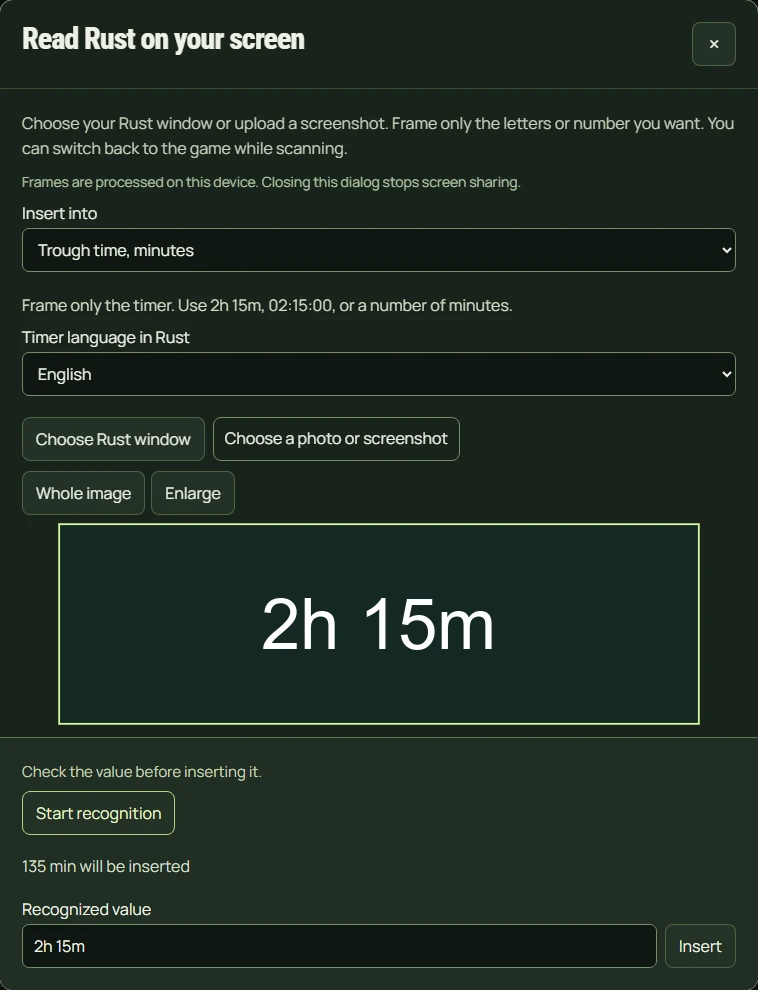
Frame a single in-game timer
Select the language shown in the game. Frame the entire duration, for example 2h 15m, and leave labels, health and item counts outside the crop. Enlarge the preview on a small screen.
Check the conversion before inserting
Choose a format when you see two numbers with a colon. 02:15 can be 2 hours 15 minutes or 2 minutes 15 seconds. Check the recognized text and result. Time remaining is rounded down and time until a farm pickup is rounded up. Edit the text if it differs from the screenshot.
Calculate your remaining lighthouse supplies and see whether you have time to get back out of the Deep Sea.
Rust Deep Sea: lighthouse repair and trip plannerCalculate trough feed and plan milk, wool and dung pickups using timers from your own server.
Rust Livestock PlannerPlan your underwater time, save air for the return and see when to turn back in Rust on PC.
Rust diving oxygen calculator and return timerPlan the materials for your farm and estimate egg or honeycomb production from an in-game sample.
Rust chicken coops and beehivesBuild a car on a 2-, 3- or 4-slot chassis. Check module fit and calculate crafting materials before you head out.
Rust garage and modular car builderFind missions by name, track your steps and budget time for the trip back.
Rust NPC mission journalCompare two horses or loadouts using road and off-road measurements, stops and return distance.
Rust horses and ride time calculatorBuild a trip one leg at a time and estimate how much fuel your Work Cart or Locomotive needs.
Rust trains and railway trip plannerBefore you leave
Tick the checks you have completed. Their state stays in this browser.